
 1. In the tutorial, click on "Step 1" or the "Join BTCX Community" button.
Update
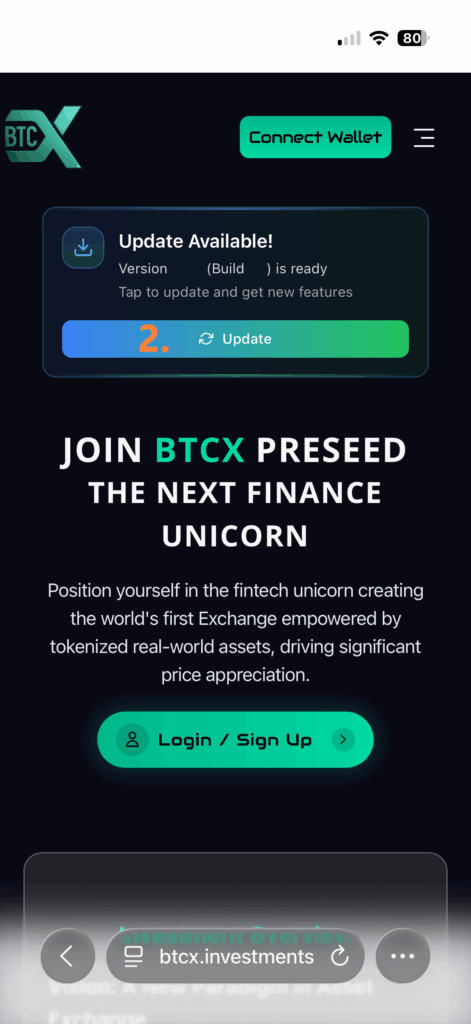
2. If the "Update Available!" message is displayed, click the "Update" button.
Sign Up

3. Click 'Login/Sign up' to continue.
Enter Your Details

4. Enter your email
5. Enter your secure password
6. Confirm your secure password
7. The Referral Code
is pre-filled.
Note: Click on the code above to copy it if needed.
8. Click the Button 'Create Account'.
Email Verification
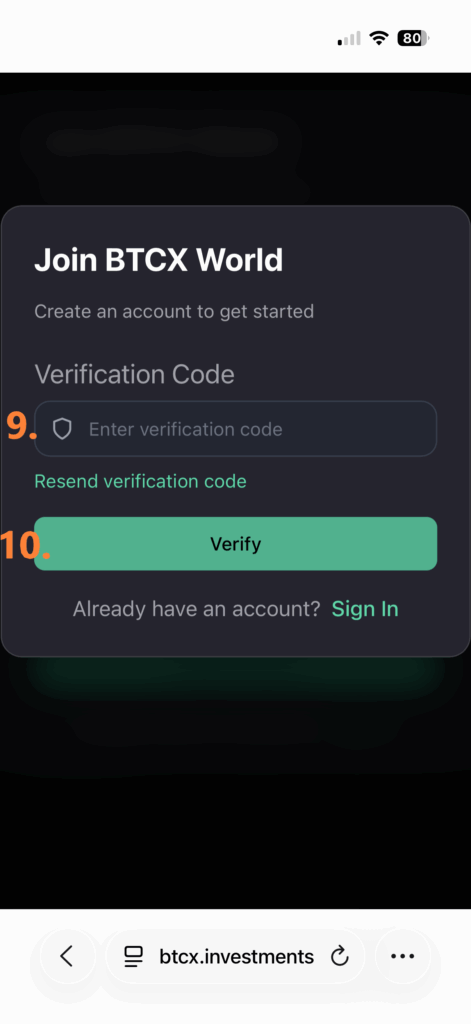
Check your email inbox for the BTCX verification email.
9. Enter the code provided in the email into the "Enter verification code" field.
Important: If you cannot find the email, please also check your spam folder.
10. Afterwards, click "Verify".
Your First Login

After your email (displayed at 11.) has been confirmed, scroll down the page to view the 'Investment Amount' and proceed.
First Investment
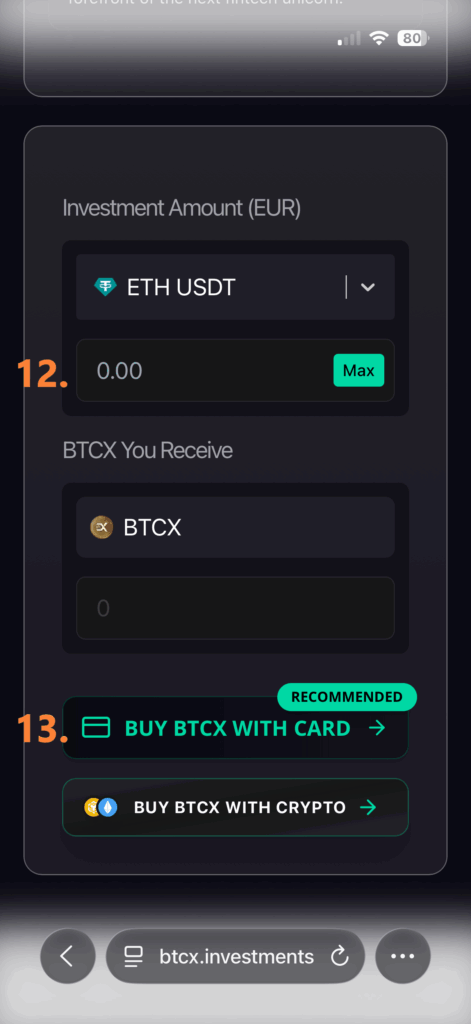
12. Enter your desired investment amount (between 50 EUR and 9,990 EUR) into the input field.
13. Select the recommended method by clicking the "BUY BTCX WITH CARD" button.
Confirm Secret Phrase
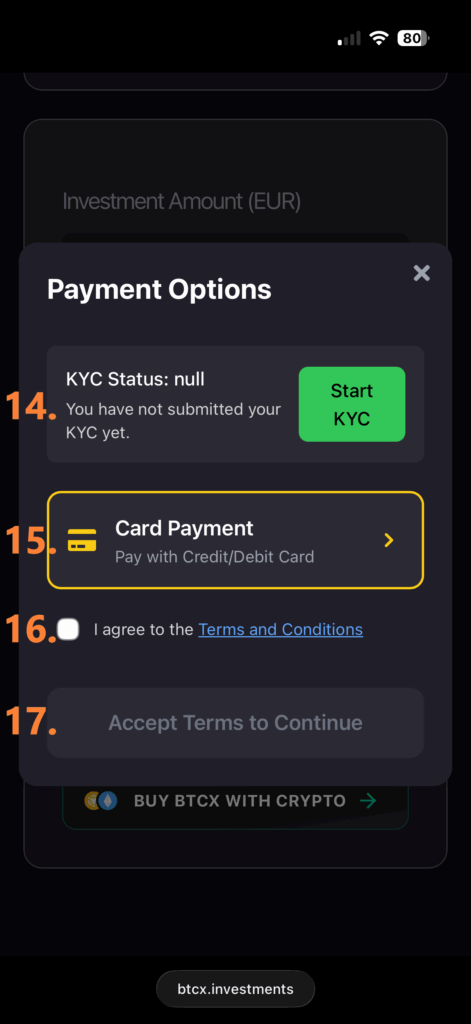
14. Click "Start KYC" to begin the Know Your Customer process. Identity verification is necessary to proceed with the payment.
15. After completing your KYC, click the "Card Payment" button. You will be prompted to enter your credit/debit card details on the following screen.
16. Tick the box to confirm that you have read and agree to the "Terms and Conditions".
17. Click "Accept Terms to Continue" to proceed.
Create New Wallet
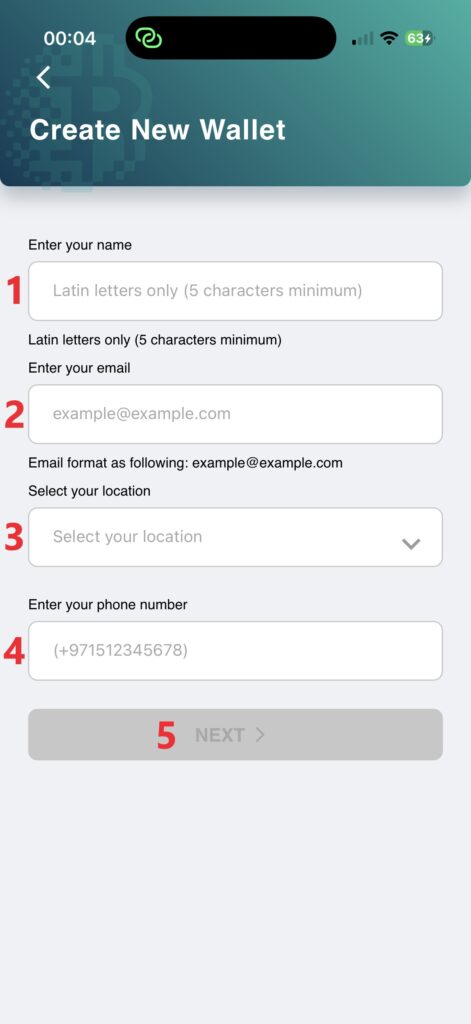 1. Enter your name (latin letters only and 5 characters minimum)
2. Enter your email
3. Select your location
4. Please enter your phone number in international format (e.g., +1...).
5. Once all fields are correct, the button 'Next' will be enabled. Click it.